
The Challenge With SOM Configuration
Sales and Order Management in ServiceNow is one of the most powerful modules on the platform. It unifies the entire lead-to-cash lifecycle from the moment a prospect is identified all the way through to order fulfillment and billing.
But setting it up is a different story.
Before a single lead can be qualified or a single order processed, someone has to configure the module. Lead stages. Lead ratings. Lead sources. Opportunity stages. Sales cycle types. Quote states. Order types. Order categories. The list is long, the tables are many, and the field to table mapping is not always intuitive.
For teams implementing SOM for the first time, this configuration phase can take days. And because it is largely manual, mistakes happen. Values get named inconsistently. Fields get mapped to the wrong table. And when it is time to replicate the setup in Test or Production, everything has to be done again.
We built something to change that.
What Is the SOM Configurator Agent?
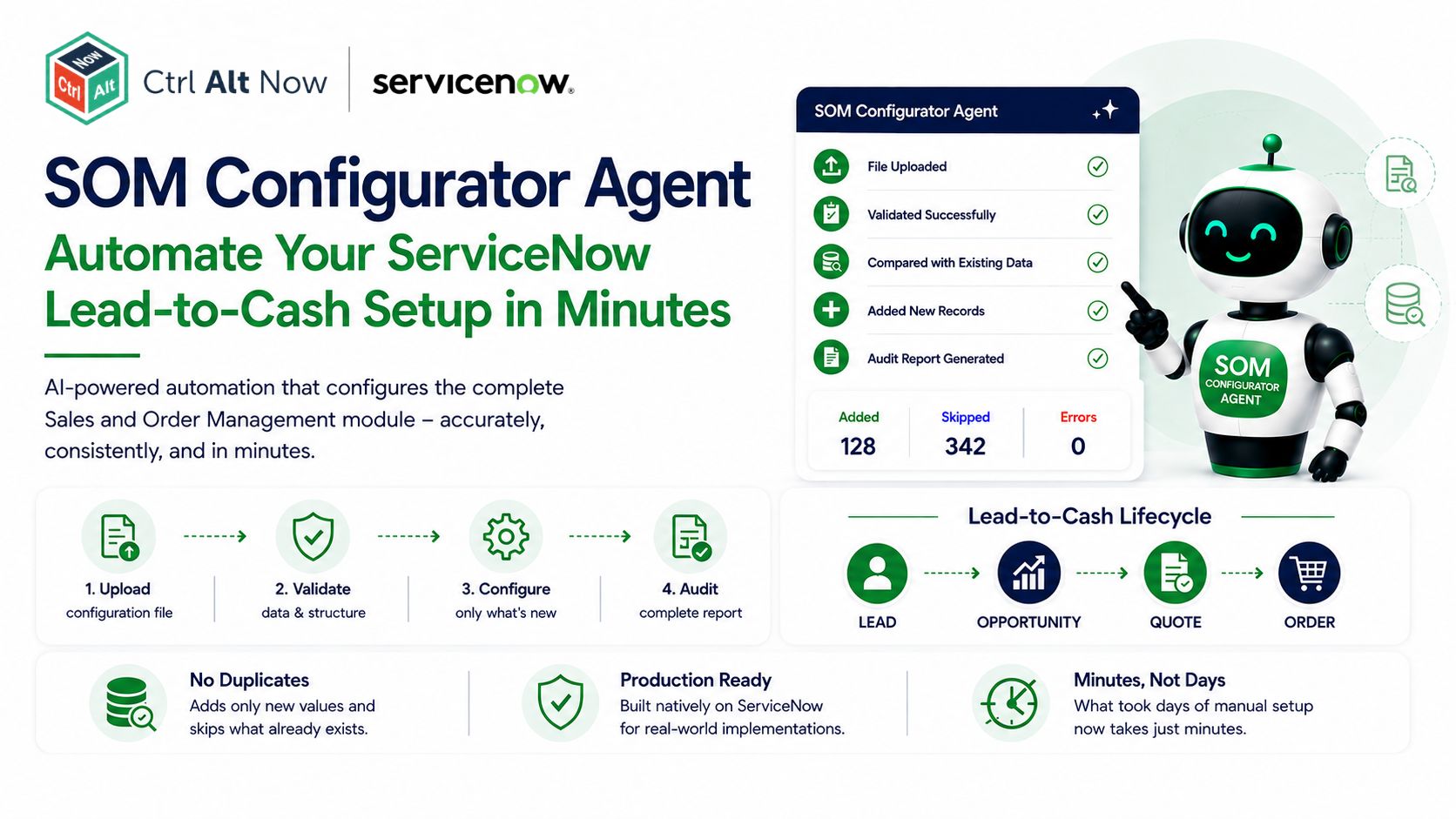
The SOM Configurator Agent is an AI-powered agent built natively on ServiceNow. It automates the complete configuration of the Sales and Order Management module covering all four core areas of the lead-to-cash lifecycle in a single guided run.
The four areas it configures are:
- Lead: stages, ratings, sources and industry values
- Opportunity: stages, sales cycle types and route to market values
- Quote: states, types and channel values
- Order: states, types, categories and contract type values
Each area is fully supported. Every configuration element that would otherwise need to be set up manually is handled by the agent automatically.
How It Works
The experience is simple by design.
The administrator opens the agent, confirms they want to configure Sales and Order Management, and uploads their configuration file. The agent validates the file checking that all required sheets are present, that column headers are correct and that data rows exist. If anything is wrong, the agent tells the administrator exactly what to fix before proceeding.
Once the file is validated, the agent processes every sheet in sequence. It compares each value against what already exists in the instance. Anything that is already there gets skipped. Only new values are added.
When the run is complete, the agent returns a structured summary grouped by Lead, Opportunity, Quote and Order showing exactly how many values were added, how many were skipped and any errors encountered.
What Makes It Different
SOM has some unique characteristics that make configuration more complex than other ServiceNow modules. Two of the most commonly misunderstood:
Opportunity Stages and Sales Cycle Types are not stored in sys_choice. They have their own dedicated tables. The agent handles both correctly, inserting records into the right table rather than treating them as standard picklist values.
The sys_choice name does not always match the table name. For example, the channel field on Quote and the order_category field on Order both map to the same sys_choice name not to the Quote or Order table name. Getting this wrong means values appear on the wrong form or not at all. The agent has all of this mapped correctly from the ground up.
The Business Impact
SOM configuration that previously required days of specialist effort now completes in under five minutes. The same configuration file works across Development, Test and Production without repeating the work.
Beyond the time saving, the agent removes the dependency on deep SOM expertise for routine configuration tasks. Any administrator familiar with the module can provide the configuration data and run the agent. This frees up specialist resources for higher value work and eliminates the configuration phase as a bottleneck in SOM implementations.
Built for Production
The SOM Configurator Agent was designed with real implementation projects in mind.
It never creates duplicates. It validates before it acts. It handles the nuances of the SOM data model correctly. And it gives a complete record of every change it makes.
It is not a demo. It is a production-ready tool that solves a real problem and it is built entirely within the ServiceNow platform.
What’s Next
The current implementation covers the core picklist and reference data configuration. Future phases will extend the agent to cover notifications, assignment rules, price list setup and SLA configuration for the SOM module.
The vision is the same as it is for every module we build: configuration should never be the bottleneck in an implementation. The SOM Configurator Agent is how we make that true for the lead-to-cash lifecycle.


Leave A Comment